How to make freight simple by booking with SendNet
Find out how SendNet can save you time and money on each freight shipment. Plus, discover the five easy steps to booking freight with SendNet.
Freight forwarding is an integral part of the e-commerce world. But it can be a complex and time consuming process. Comparing providers, negotiation, and keeping up with the documentation means it can be difficult to know if you have the best deal for your brand.
Booking freight is made easy with SendNet thanks to our team of freight experts who negotiate, communicate and execute your freight shipment while solving all problems that arise along the way on your behalf.
In this blog post we will go over how SendNet saves you time and money on your freight volumes, plus we will guide you through the simple process of booking and managing your freight with SendNet.
Here is what you will find in this blog post:
- How SendNet saves you time on organizing your freight shipments
- Benefit from better pricing through SendNet's pooled freight volumes
- Freight in the SendNet App: 5 steps to book freight with SendNet
How SendNet saves you time organizing your freight forwarding
Communication is taken care of
If you have tried organizing freight shipments yourself, you will know how communication can take up a large chunk of your time.
With SendNet, all freight communication and negotiation is taken care of by our freight team. Once you have requested your shipment via a series of questions in the SendNet App (see more on this below), the team takes care of the rest. Plus, if any problems arise, you can have total peace of mind that our freight experts will take care of it.
All of this saves you hours of time on every shipment, meaning you can invest it elsewhere in your business.
Everything you need, all in one place
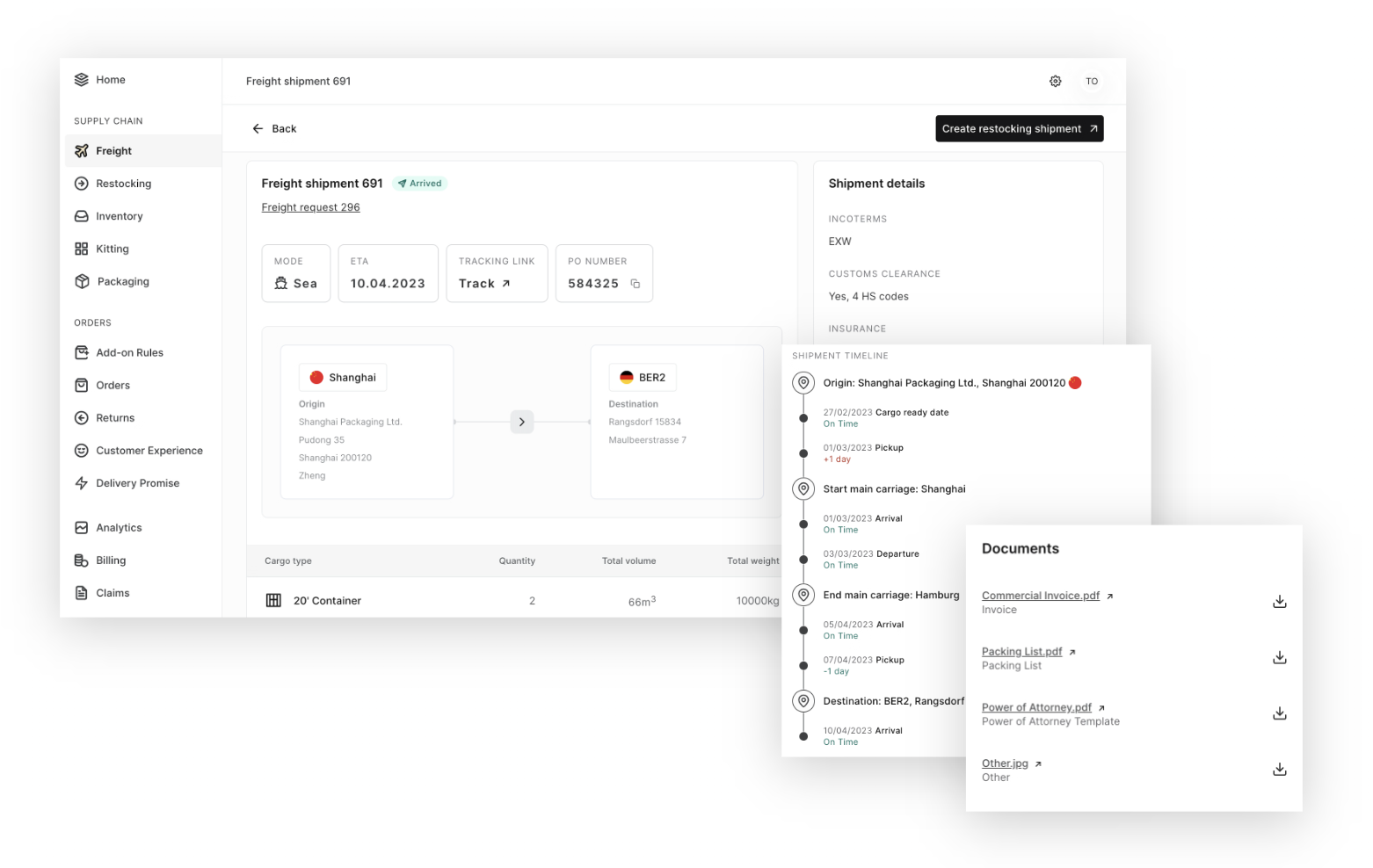
Time is also saved by the convenience of having everything you need in one place. In the SendNet App shipment details view, you can easily view and manage all the important information about your shipment. Access booking data, addresses with contact details, connected requests, and restocking shipments all in one place.
With the shipment timeline, you also have access to timely updates and milestones, ensuring complete transparency throughout the entire shipping process.
This saves you time while giving you peace of mind that your shipments are in good hands.
Benefit from the best possible deal tailored to your brand
The SendNet freight team is constantly working to get the ideal conditions for your brand. They perform price comparisons on every freight shipment to ensure the best price.
Plus, since SendNet works with multiple brands for freight, we can pool volumes together, meaning we can secure even lower prices with key forwarding partners.
Booking freight in the SendNet App: a step-by-step guide
Freight in the SendNet App at a glance
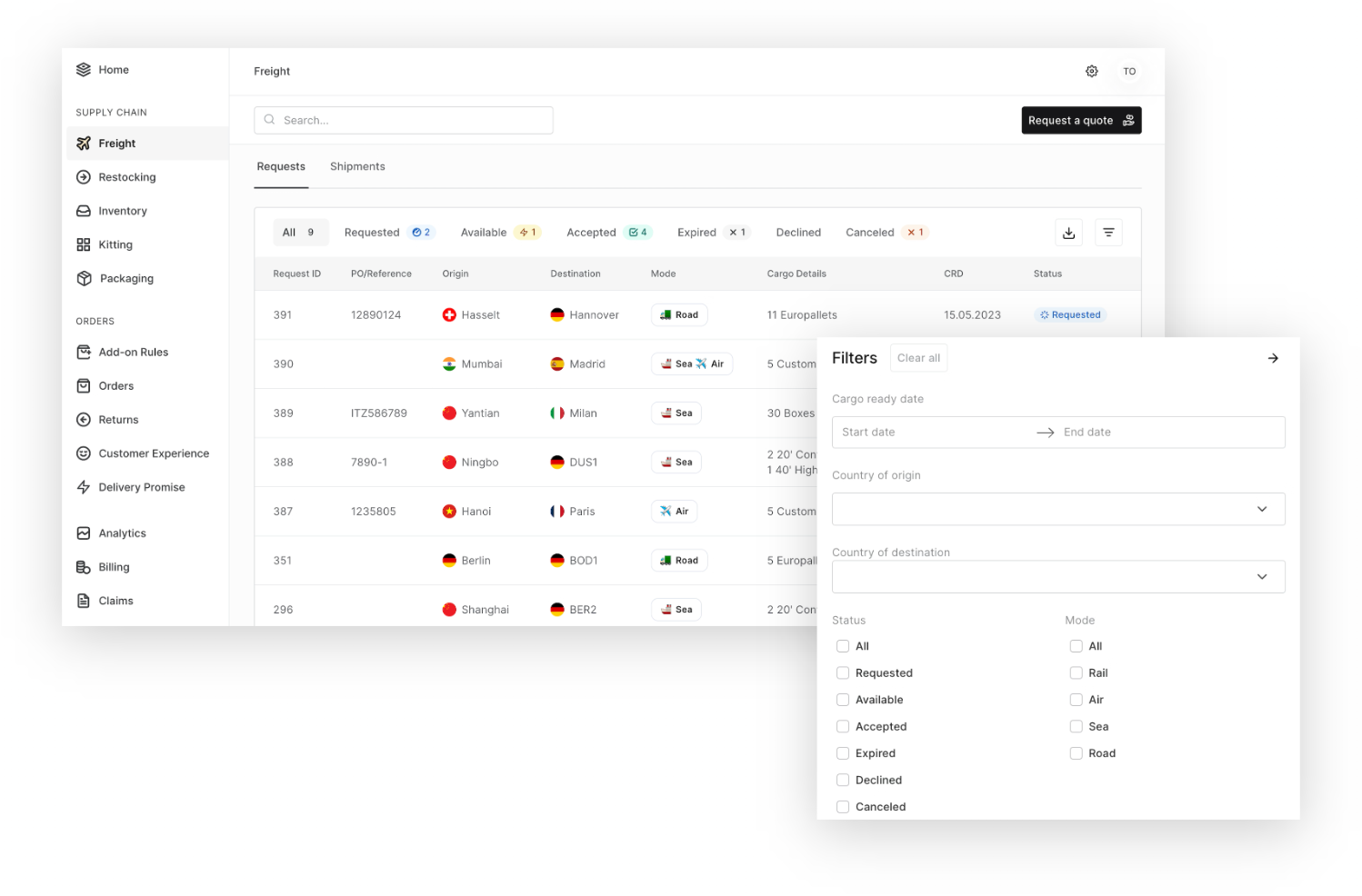
In the SendNet App, you can get an overview of all of your freight activities. At a glance, you can see:
- Origin
- Destination
- Mode (e.g. rail, sea, air)
- Cargo details (e.g. how many pallets)
- CRD
- Status (e.g. arrived, on the way, pending)
- Tracking
- ETA (estimated time of arrival)
Filter by date, country, and status to see exactly what you need. Plus, export your data as a CSV if you need to use it outside of the SendNet App.
Booking freight with SendNet: 5 easy steps
Making new freight forwarding requests can be done directly in the SendNet App. Just click “request a quote” and you will be given a series of questions that the team will use to book your freight. Here are the five steps to booking freight with SendNet:
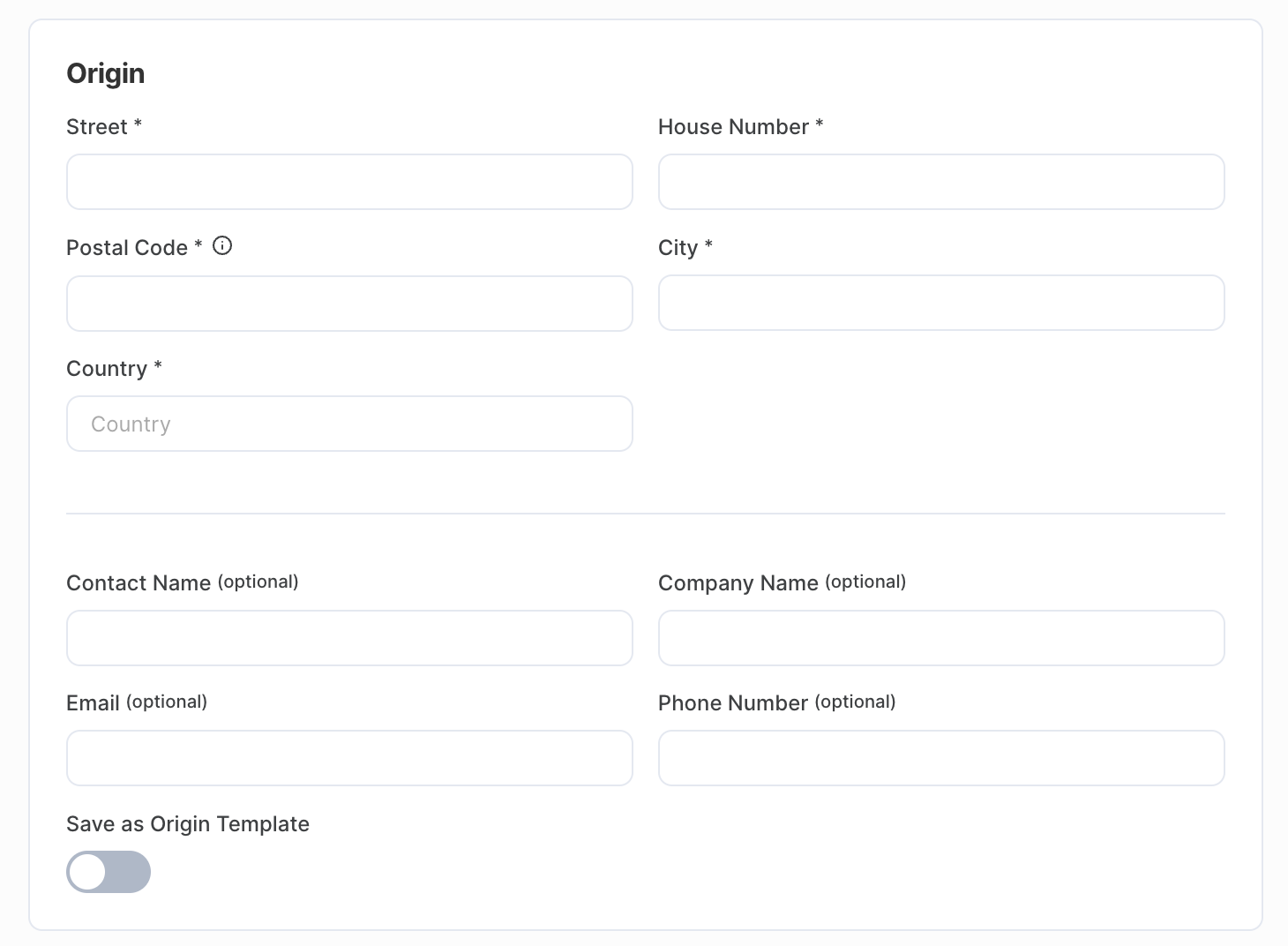
1. Input your information on the origin and contact details
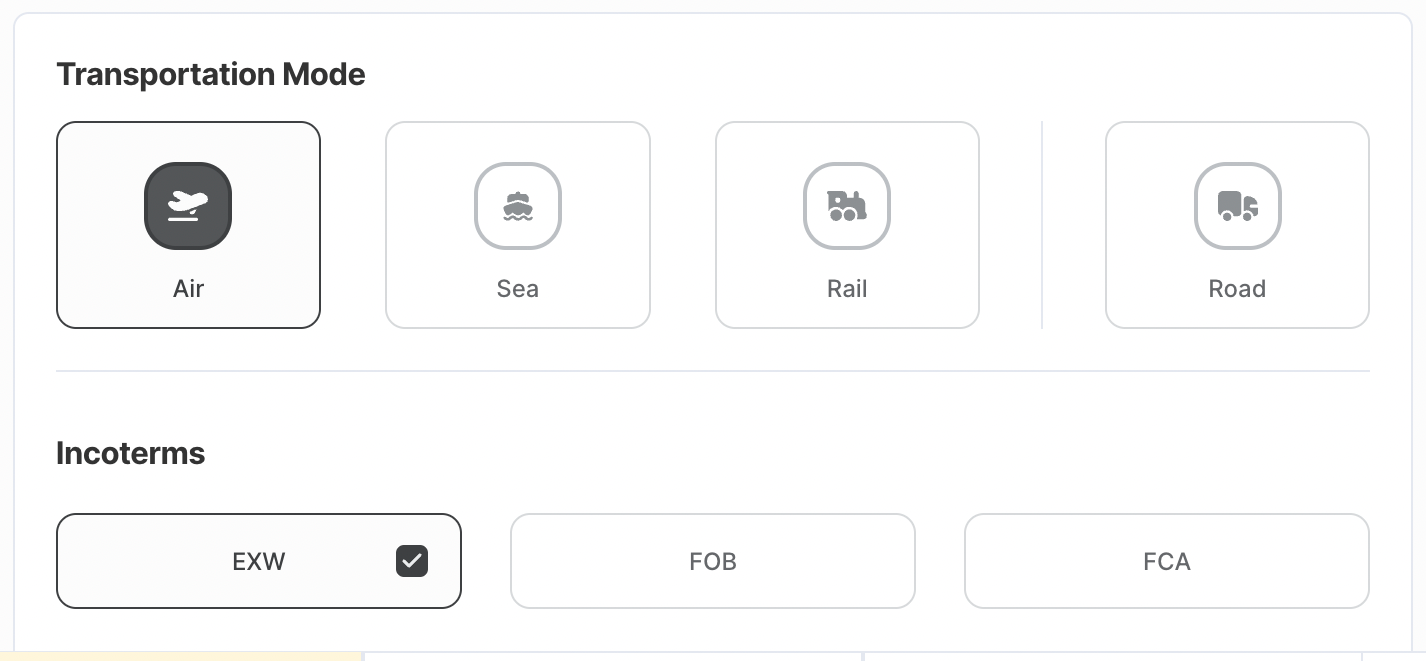
2. Select your transportation mode
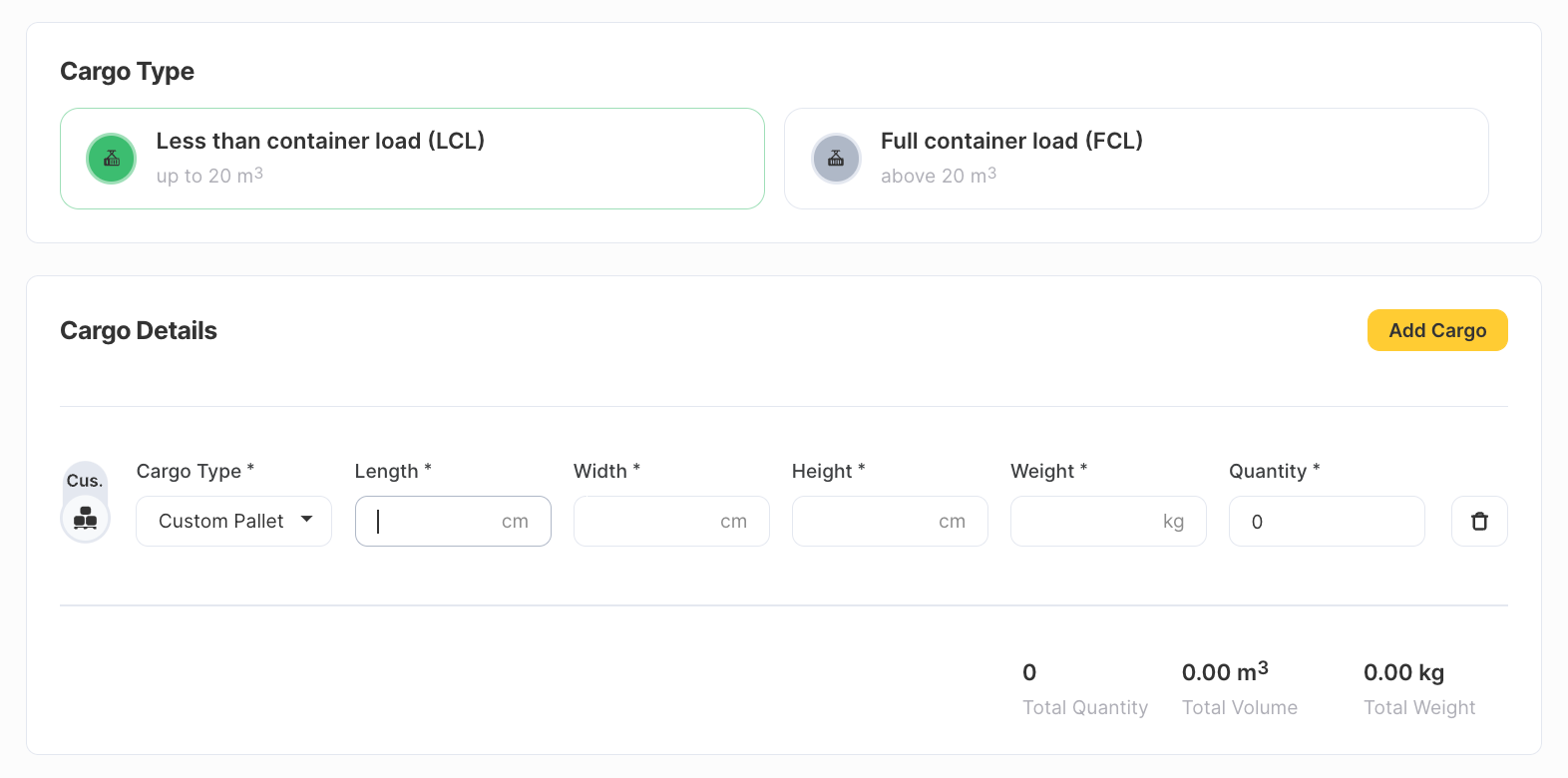
3. Add your cargo type and details
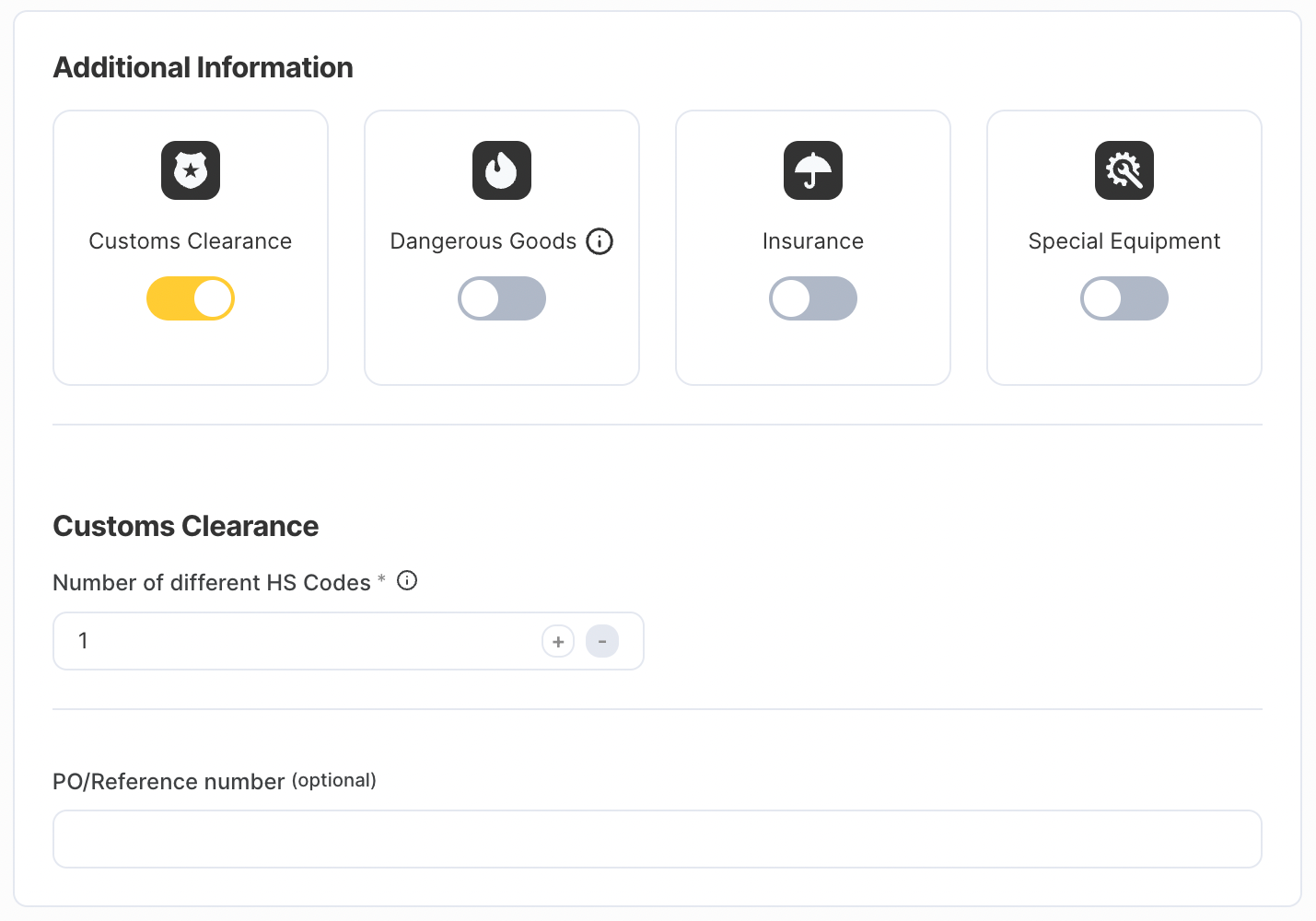
4. Give us any additional information such as customs clearance, dangerous goods, insurance, or any other relevant details
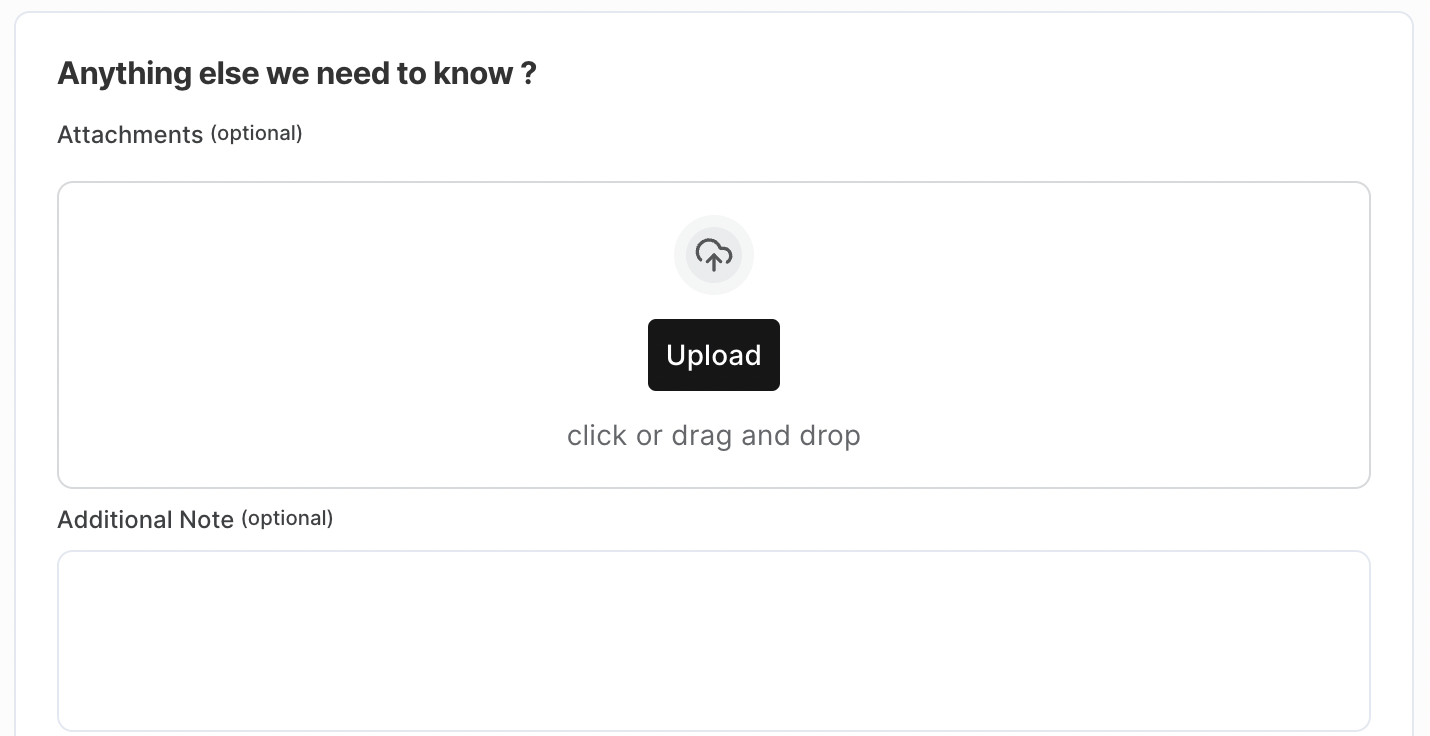
5. Track your request status in your shipments overview and let the SendNet team handle it
You are good to go! The SendNet team will work to get you the best possible conditions for your shipment.
Booking freight with SendNet saves you time, money, and effort that you can use elsewhere to boost your business
Freight with SendNet gives you total peace of mind over your shipments. You save valuable time on communication, cut costs, and can rest assured your freight is in good hands. Interested in booking freight with SendNet? Request a fulfillment quote, or try it out and place your order in the SendNet App now.